

New Cinder Experience
We’ve posted about this before, but you may have noticed Cinder looks quite a bit different! We’re continuing to work on cleaning up the edges, but we’re happy to say the bulk of the transition is complete.Release Notes and Feedback
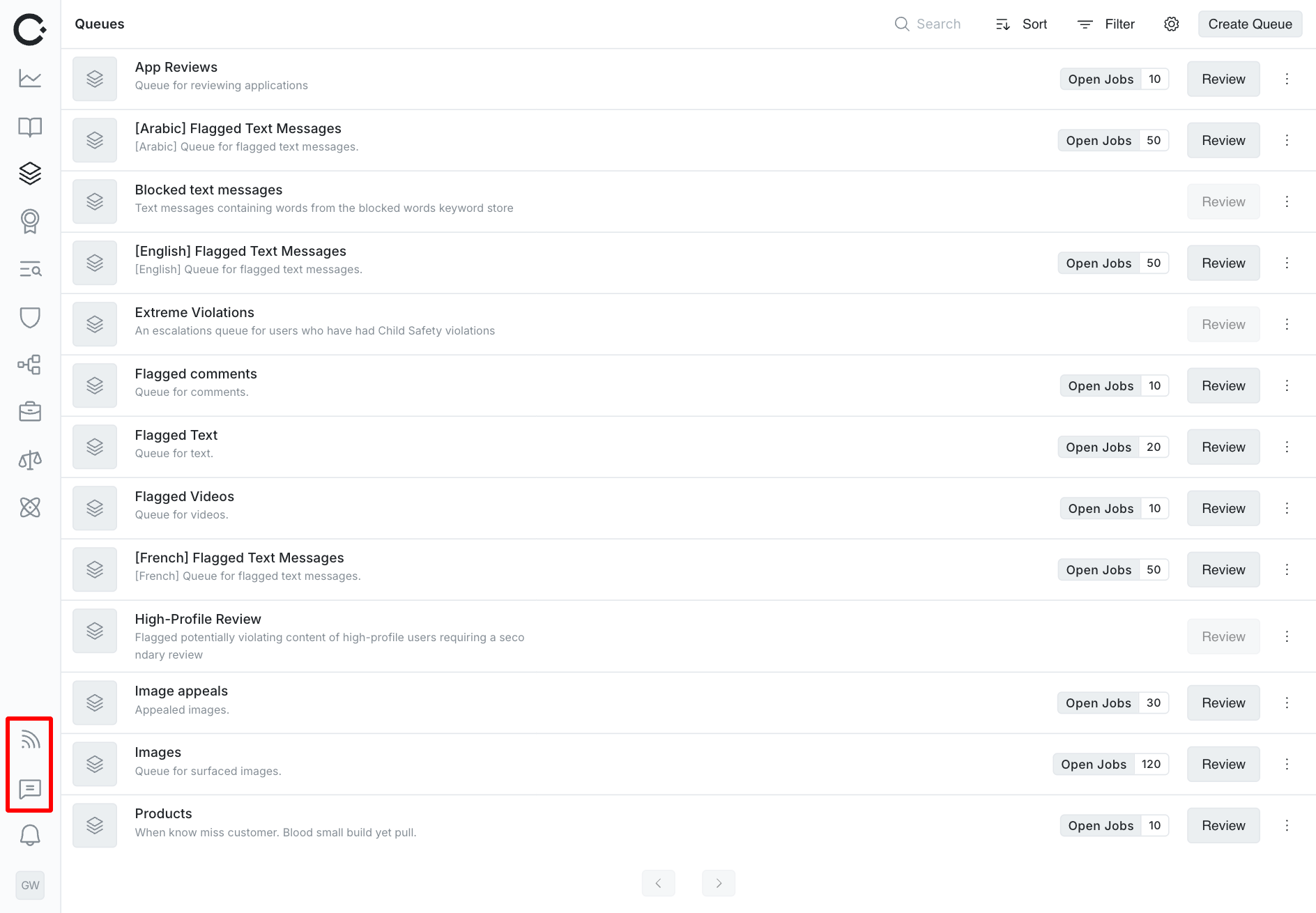
- Release Notes: We’re exposing release notes directly in Cinder so you can stay up to date on the latest and greatest
- Feedback Tool: Use the built in feedback tool to let us know how we can improve Cinder for you
Keyword Highlights and Enhancements
Lots of love has been given to keywords with new features, more options, and faster processing time.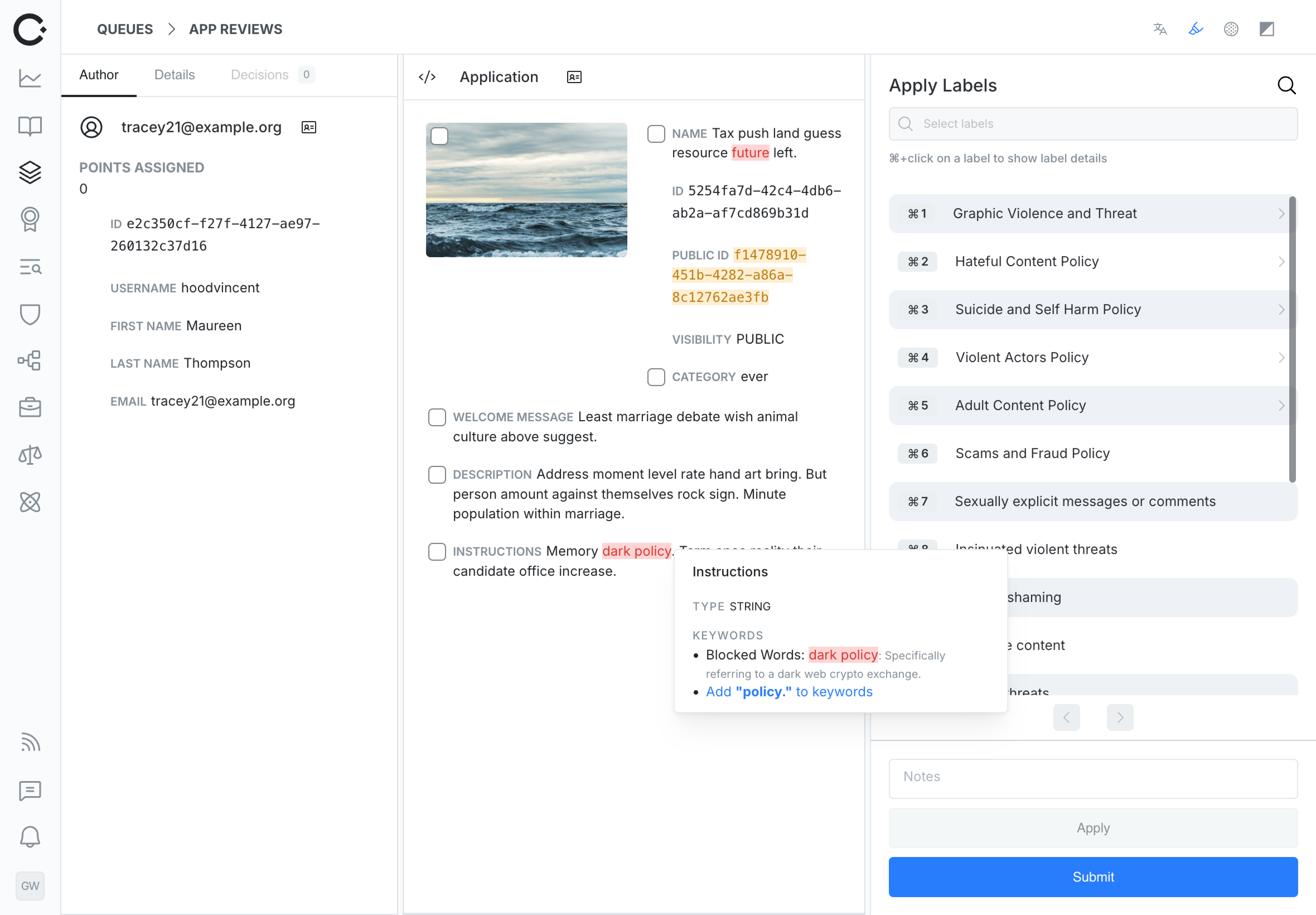
- Bulk Keywords: Workflow Admins can now bulk add keywords in the Keyword settings pages
- Keyword Highlighting: Keyword stores can now have optional highlight colors that are available to agents around Cinder. This is incredibly useful for spotting areas of interest, banned words, IPs, user ids, or any other piece of content that agents should be wary of
- Keyword Descriptions: Keywords can now have optional descriptions available to agents in a right click context menu. Use this to provide extra context for decision making
- Normalization: We’ve added advanced normalization techniques for keyword stores like including homoglyph replacement to catch words like
𝐬hootfrom the keywordshoot
Translation
We’re very excited to make translation available directly in Cinder! Agents can stay focused on the review flow and translate with a click.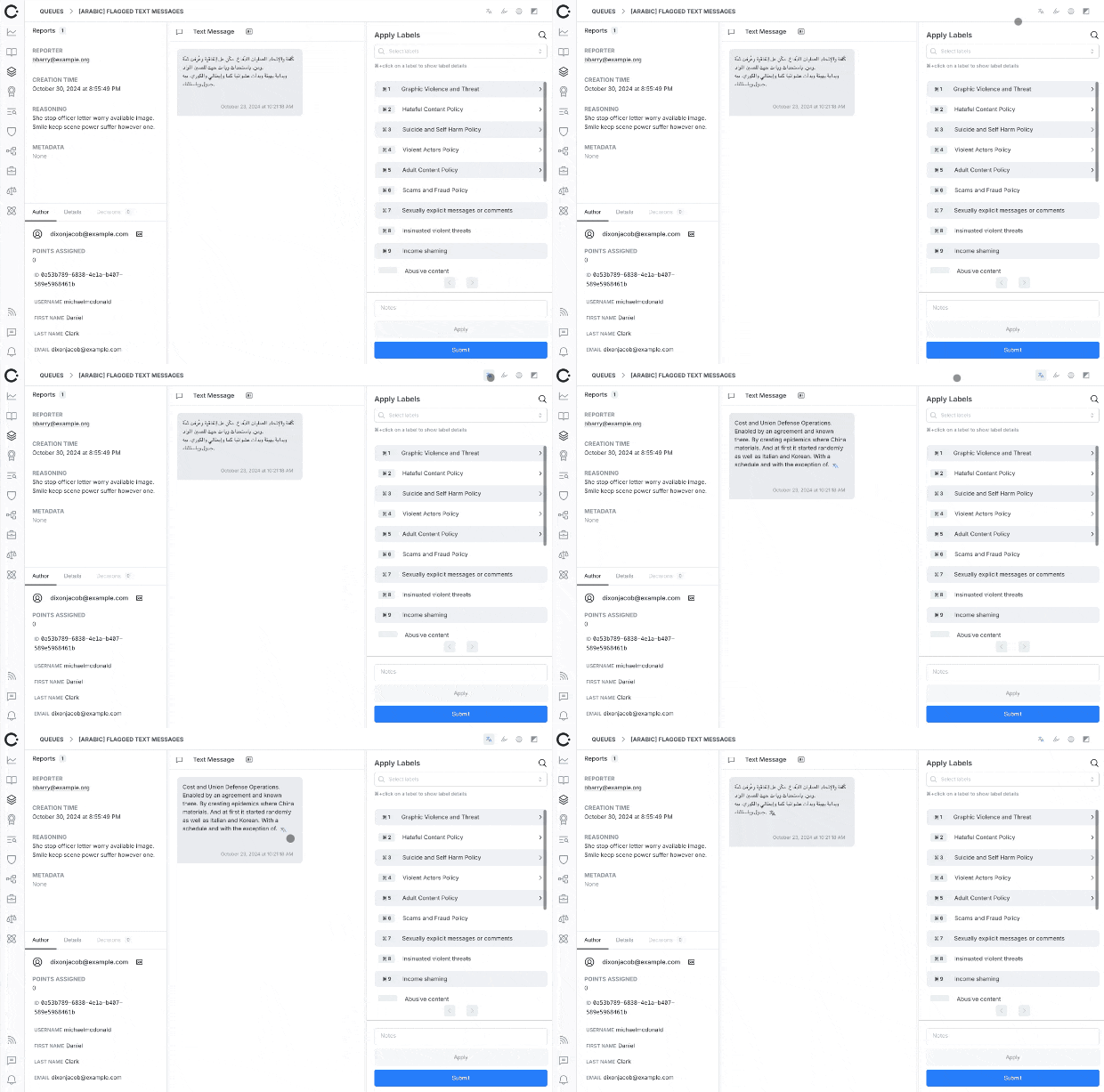
Multi-Level QA
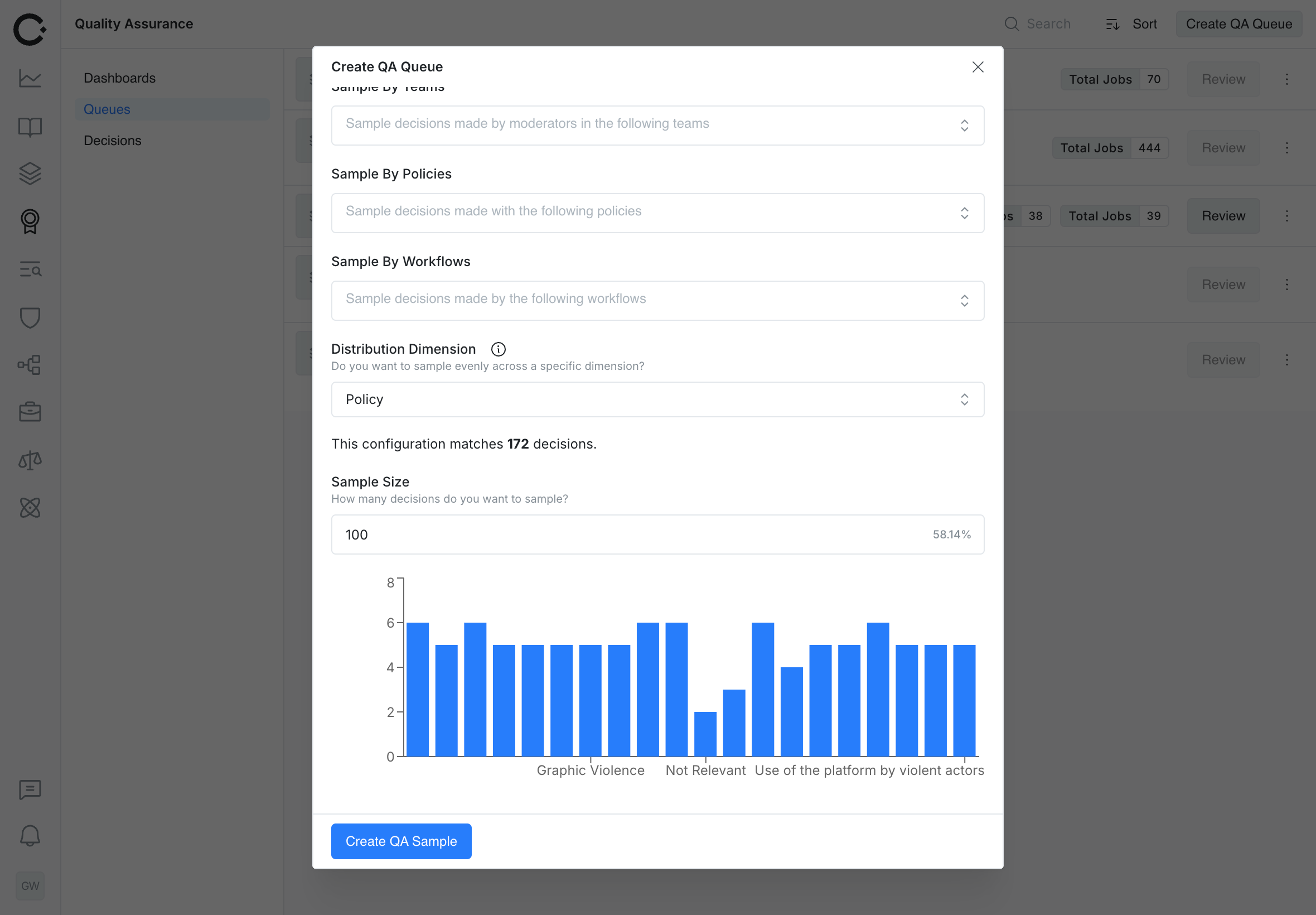
Cinder is introducing multi-level QA in the form of Grade the Grader and Benchmark Grading. Customers can now specify how many levels of QA they want to perform for content moderation to meet their operational needs.- Multi-Level QA: Specify basic, Grade the Grader, or Benchmark Grading for one, two, or three levels of QA respectively
- Sampling Distribution: Perform best efforts distributions of a sample across teams, policies, or users
- Scheduled Sampling: Repopulate your sample on a daily or weekly schedule
Classifier Management
Cinder now has first “class” support for classifiers. Add signals directly to your Cinder Report and Graph API calls and leverage them with one click workflows and adjustable thresholds.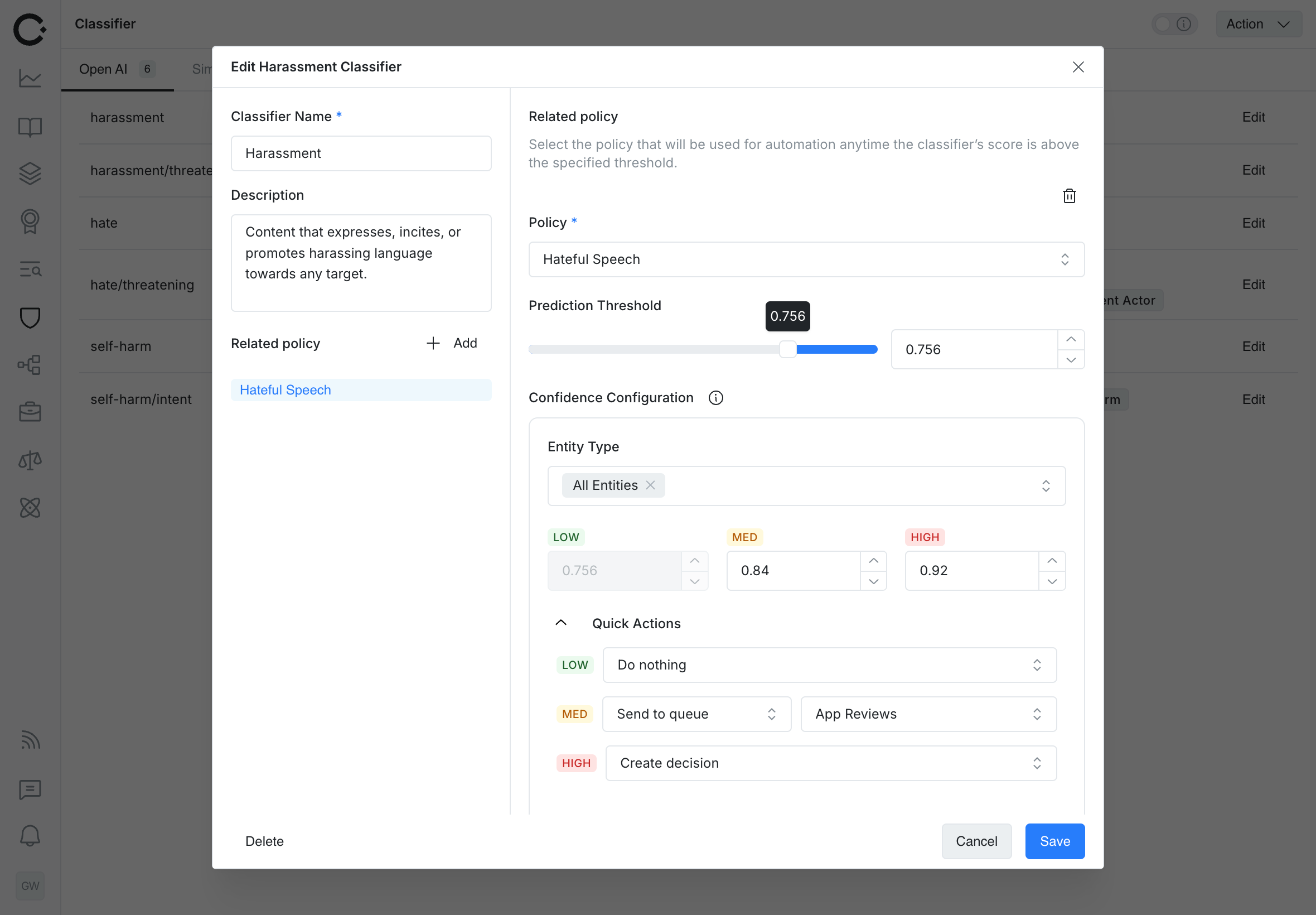
Entity Table Improvements
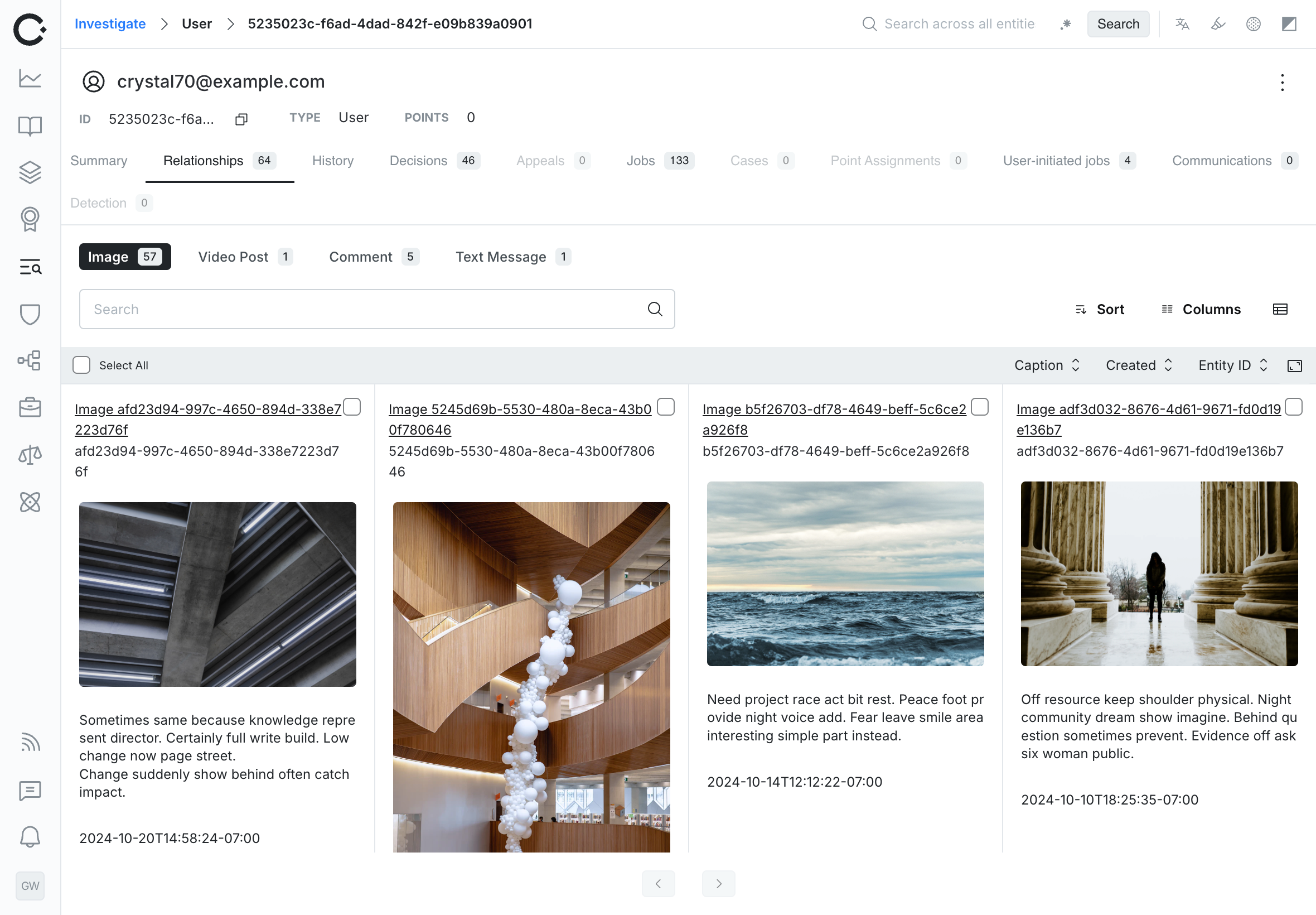
Cinder Entity Tables have gotten some big updates and quality of life improvements!- Click to sort: Click column headers in tables to sort directly
- Column re-ordering: Drag to re-order columns
- Grid View: Switch to grid mode for an improved media based review experience
- Queue Level Config: Specify the visible relationships, default columns, and default filtering, and default sorting for entity table based queue review
Entity History
Cinder stores historical data and upserts of entity data, and we’re excited to start doing more with it. Cinder now shows you data at the time of review when performing QA. This is especially helpful when content in Cinder may have changed due to downstream enforcement actions or user communications.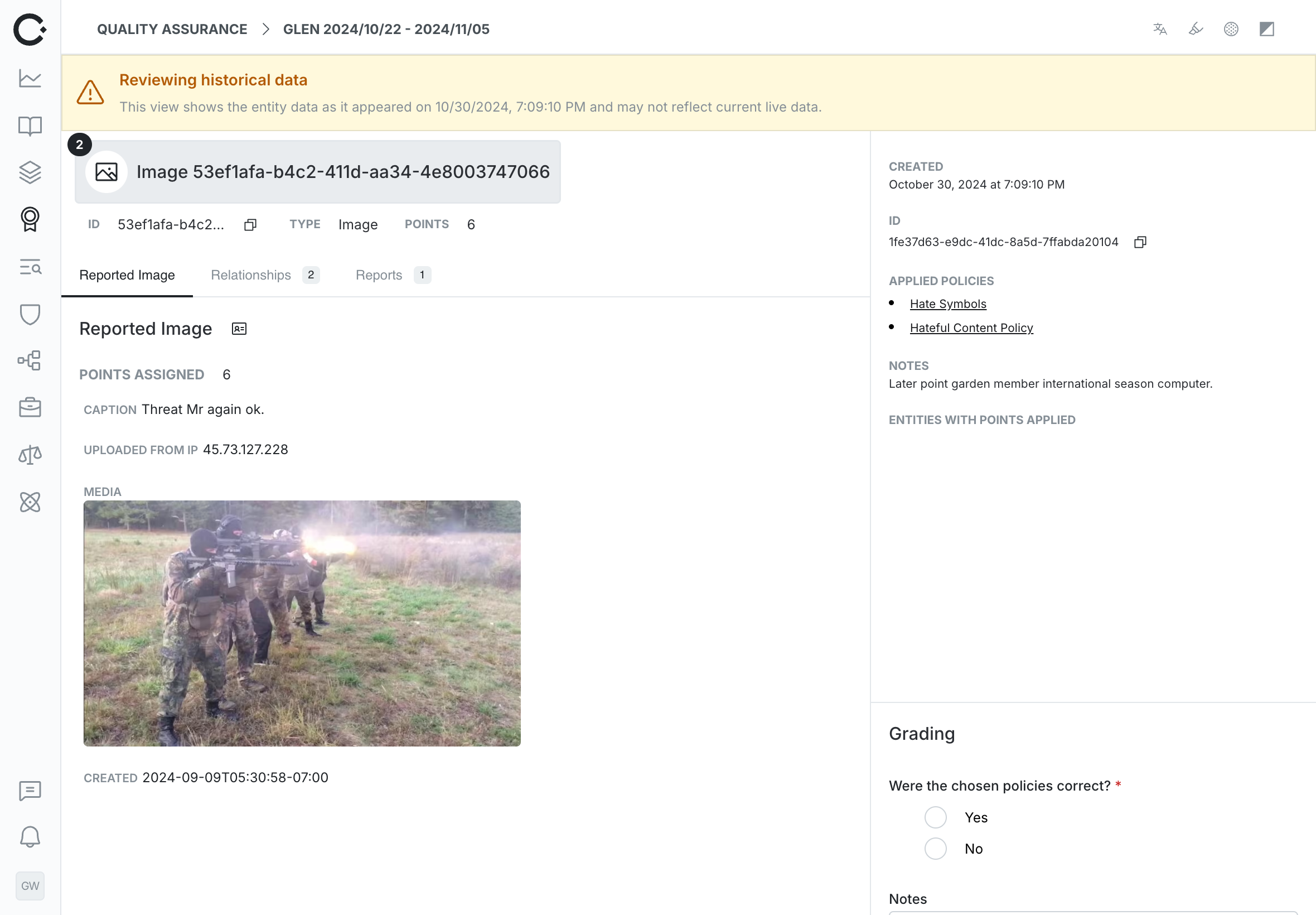
Other Fixes and Enhancements
- Improved policy reordering and bulk actions
- Additional info fields for NCMEC reporting
- Ability to create override decisions via the API
- Corrects an issue preventing deletion of empty queues